Bankruptcy Update

Setting Up MFA on Your PACER Account

Marco Varela

Marco Varela

Marco Varela

Dec 01 20258 minute read

PACER is requiring all users with filing privileges (CM/ECF-level access) to enable MFA by December 31, 2025.

This page will walk you through the process of enrolling your PACER account in their MFA solution and also connecting your BankruptcyWatch account as an App in your PACER account.

In order to do that, you will need 3 things:

  1. Access to your PACER account
  2. Access to the primary email linked to your PACER account
  3. Access to your BankruptcyWatch account

Watch this quick video tutorial to see how it's done:
Prefer to follow along at your own pace?

Here's the step-by-step guide:

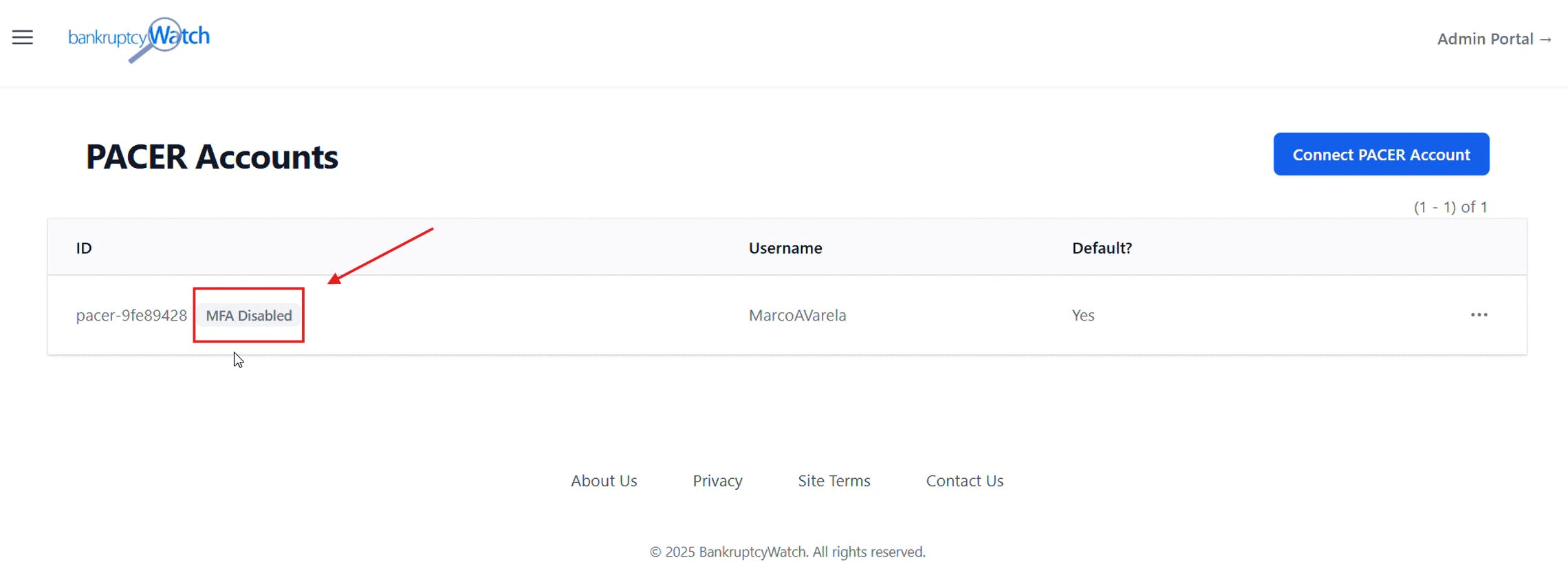
Log into your BankruptcyWatch account, then go to "PACER Accounts" (https://platform.bankruptcywatch.com/pacer-account)

Screenshot of accounts

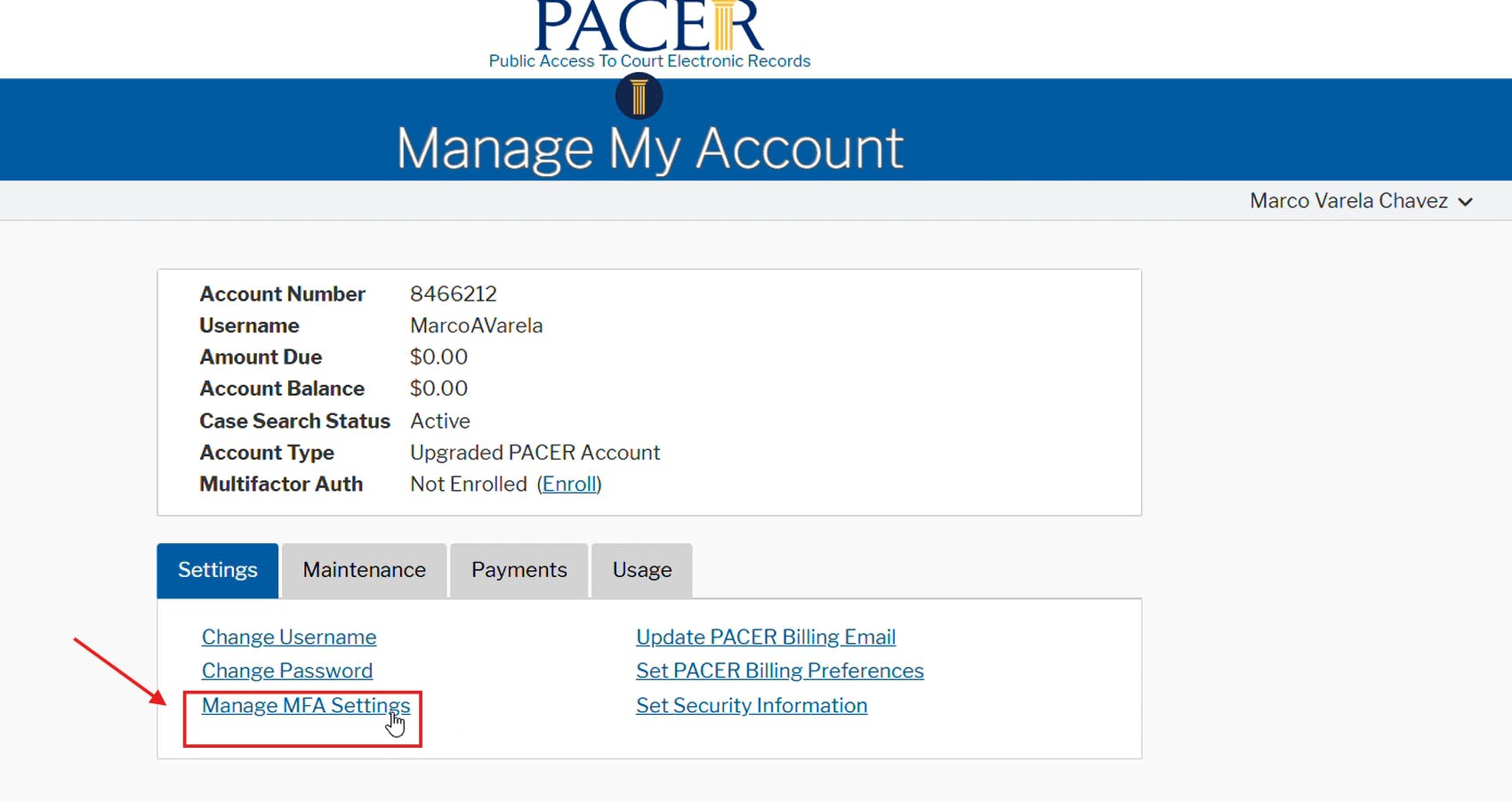
In a different browser tab, log into your PACER account and go to "Manage MFA Settings" (https://pacer.psc.uscourts.gov/pscof/manage/manageMyMfa.jsf)

PACER screenshot

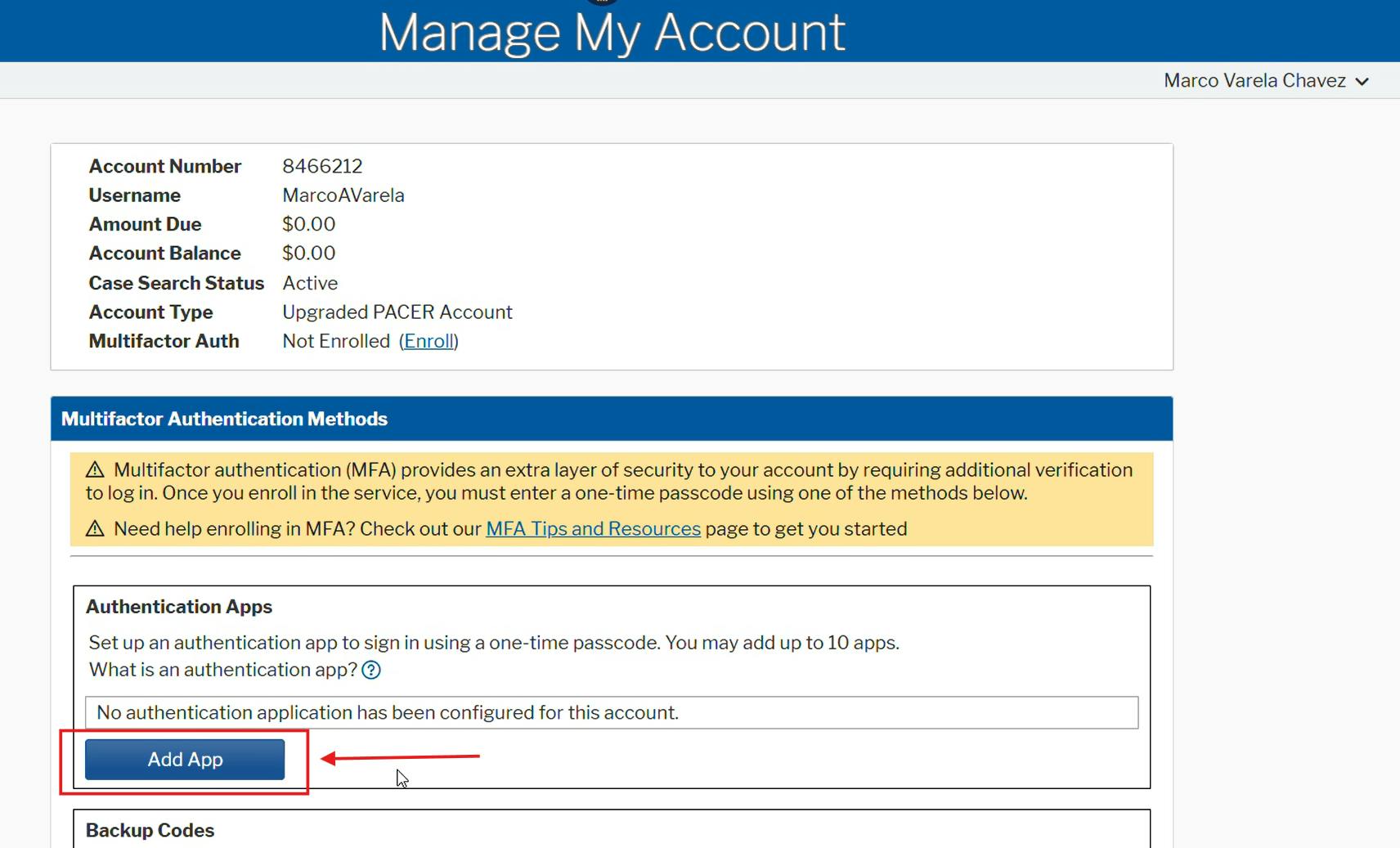
In the same tab, click on Add App.

PACER screenshot

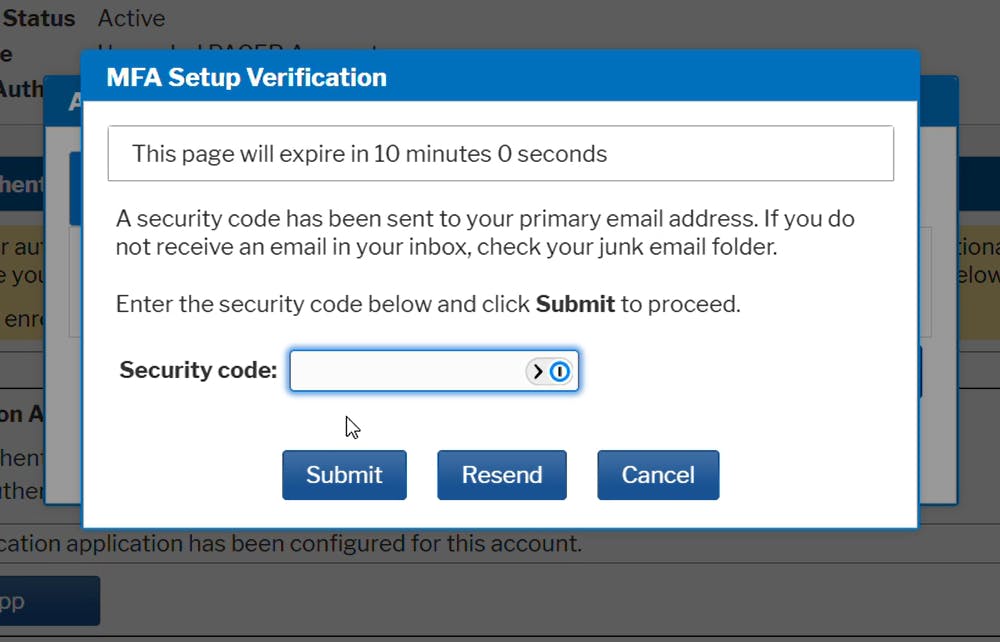
Paste the security code that has been sent to your primary email address, then click "Submit."

PACER Auth screenshot

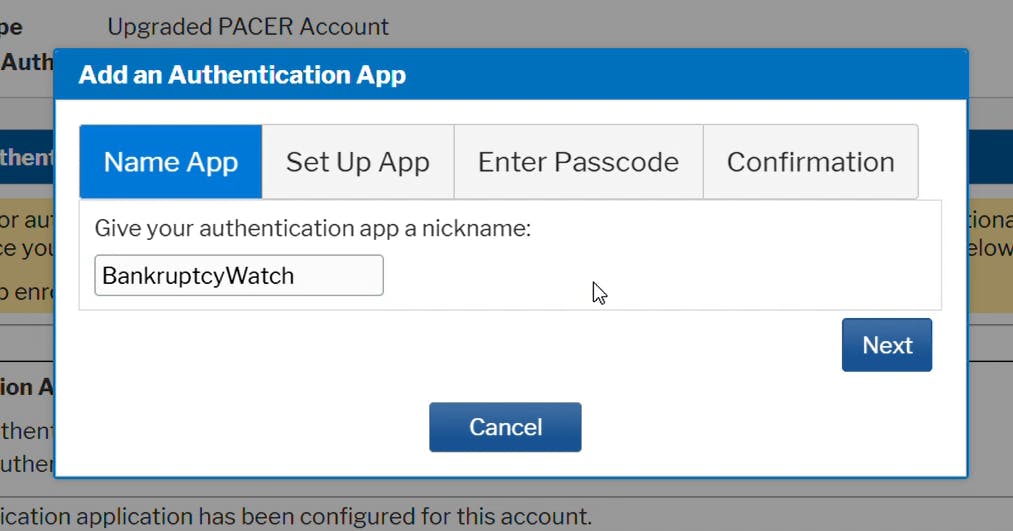
Type "BankruptcyWatch" for the app nickname, then click "Next."

PACER confirmation screenshot

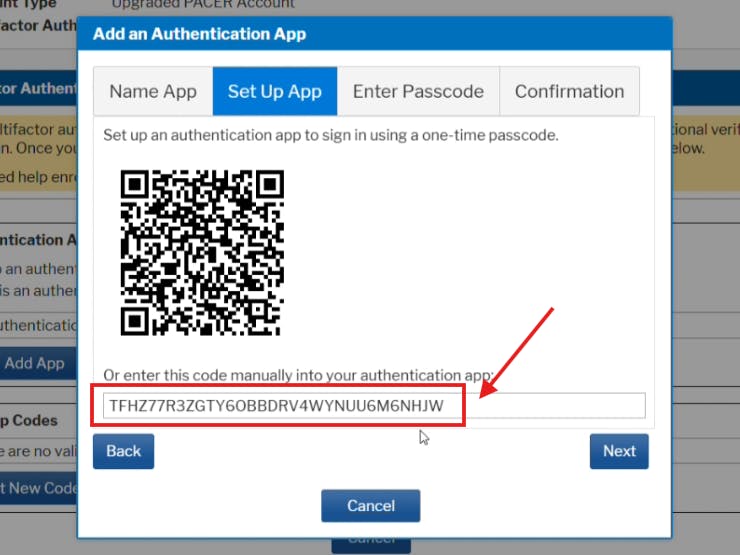
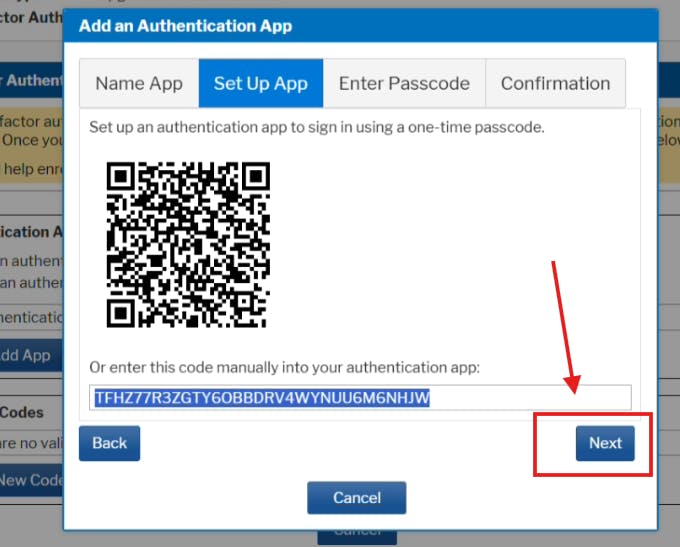
You will be provided a secret key. Copy this key (do not click "Next" yet).

PACER MFA screenshot

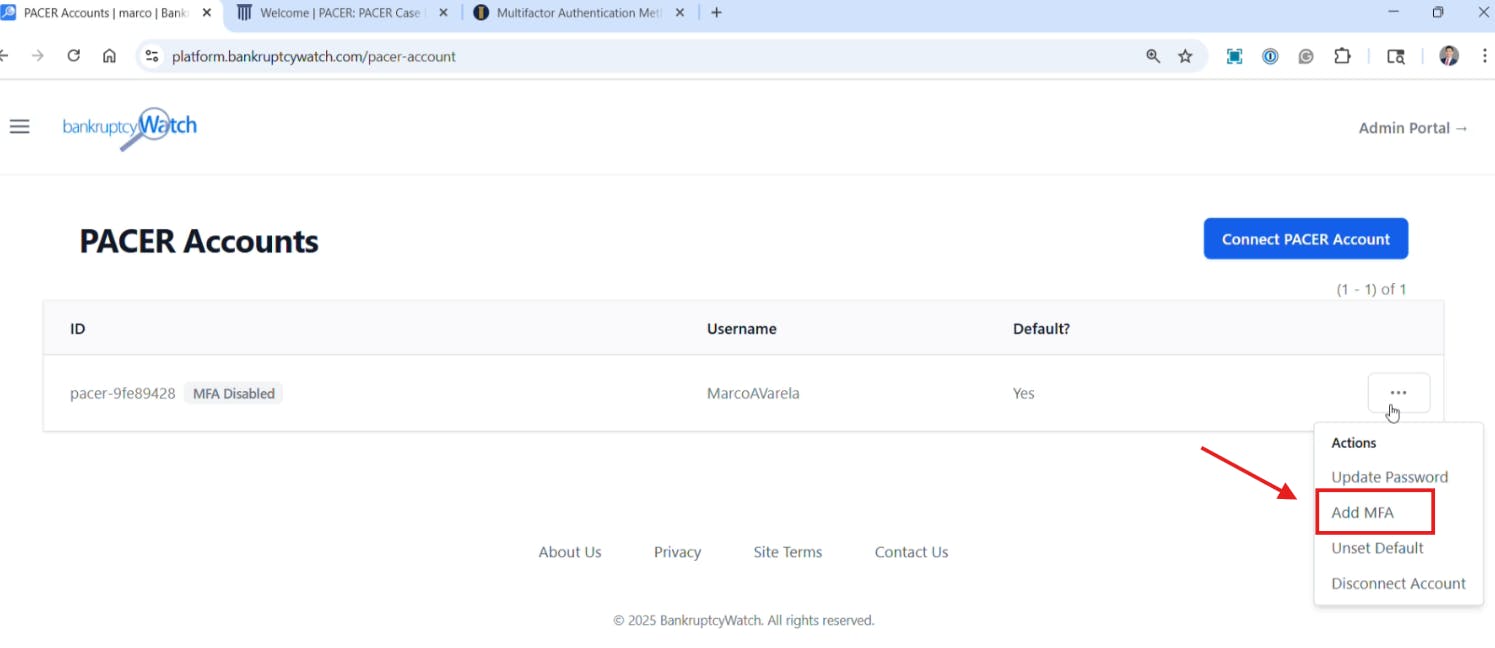
Go to the other browser tab (https://platform.bankruptcywatch.com/pacer-account), click on the three dots next to your default PACER account, and select "Add MFA."

BankruptcyWatch Account Management

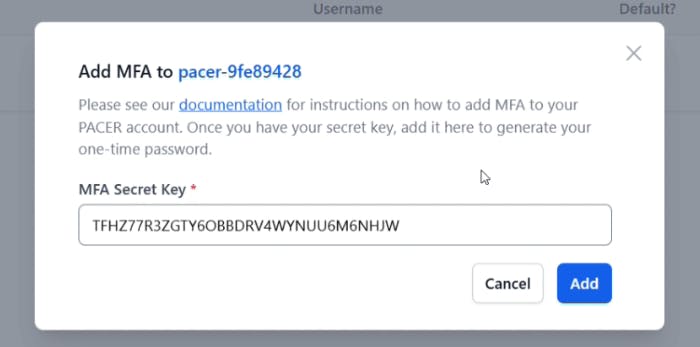
Paste the secret key provided by PACER into the box, then click "Add."

BankruptcyWatch MFA setup screenshot

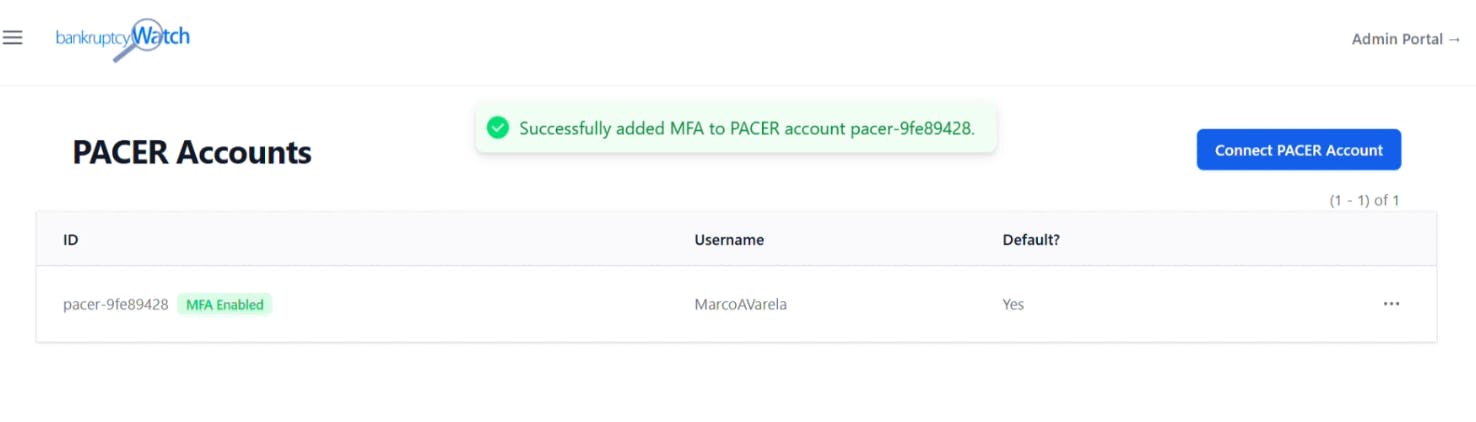
A confirmation message will appear letting you know you successfully added the secret key.

BankruptcyWatch MFA success screenshot

Go back to the other browser tab (where you're setting up the PACER authentication app) and click "Next."

PACER MFA confirmation

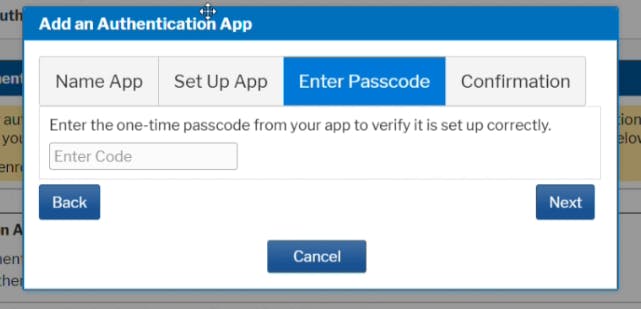
You will be prompted to enter a one-time passcode. Open the other tab with your BankruptcyWatch account (https://platform.bankruptcywatch.com/pacer-account).

PACER MFA verification

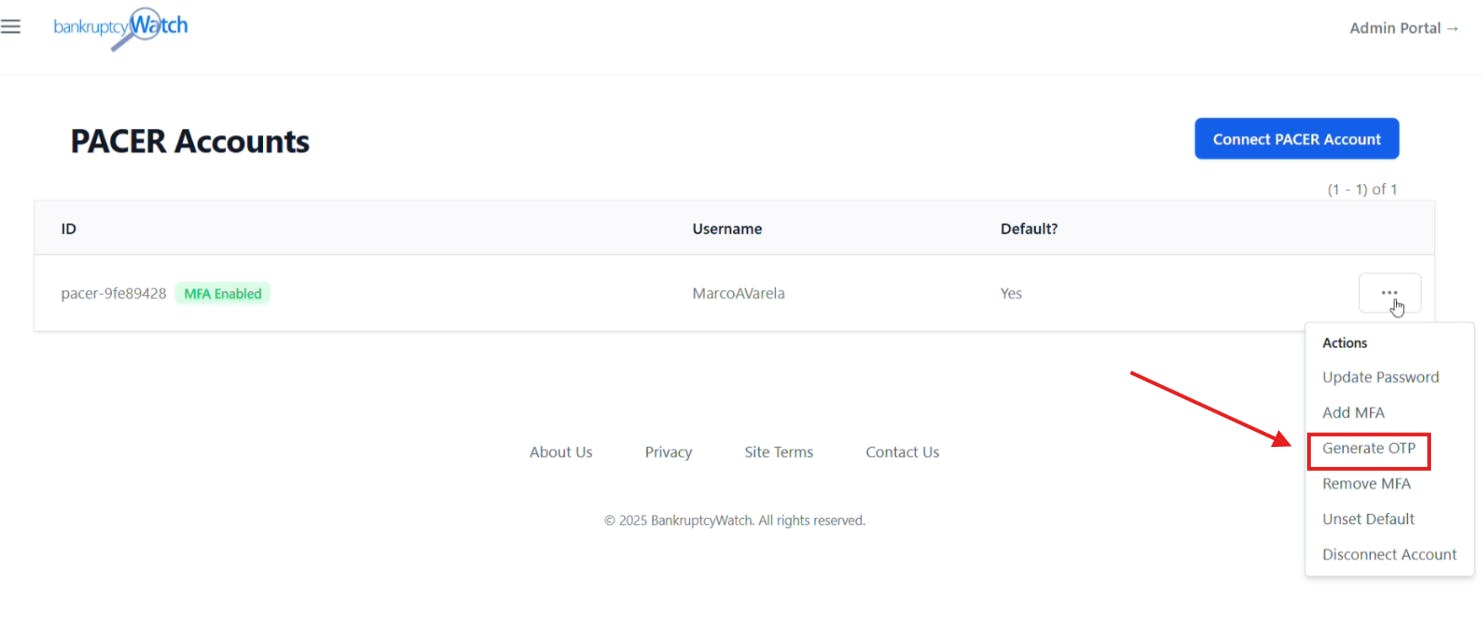
Click on the three dots next to your default PACER account and select "Generate OTP" (one-time passcode).

BankruptcyWatch account management

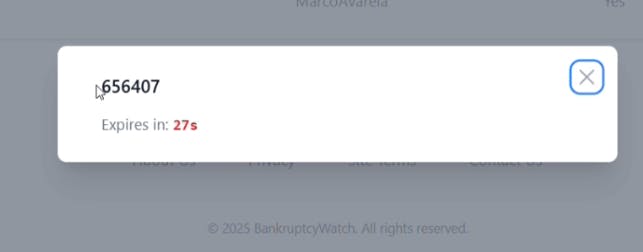
Copy the one-time passcode you receive.

BankruptcyWatch MFA OTP

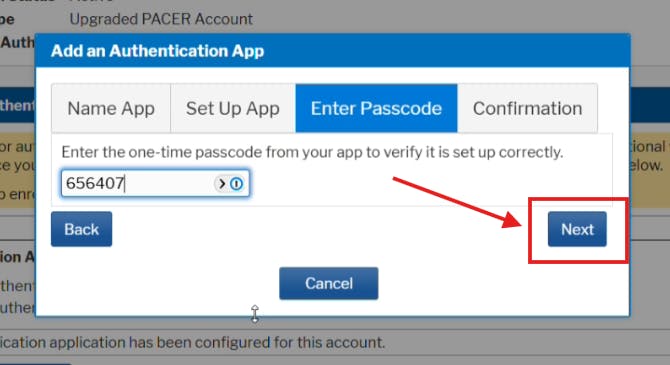
Return to the PACER tab, paste the one-time passcode, and click "Next."

PACER OTP confirmation

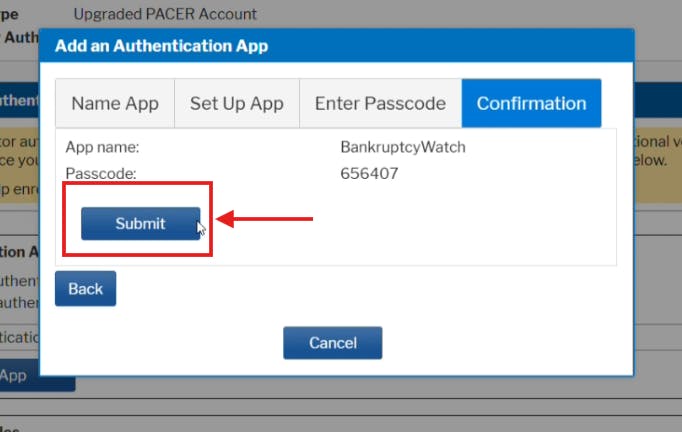
Click "Submit."

Submitting OTP BKW

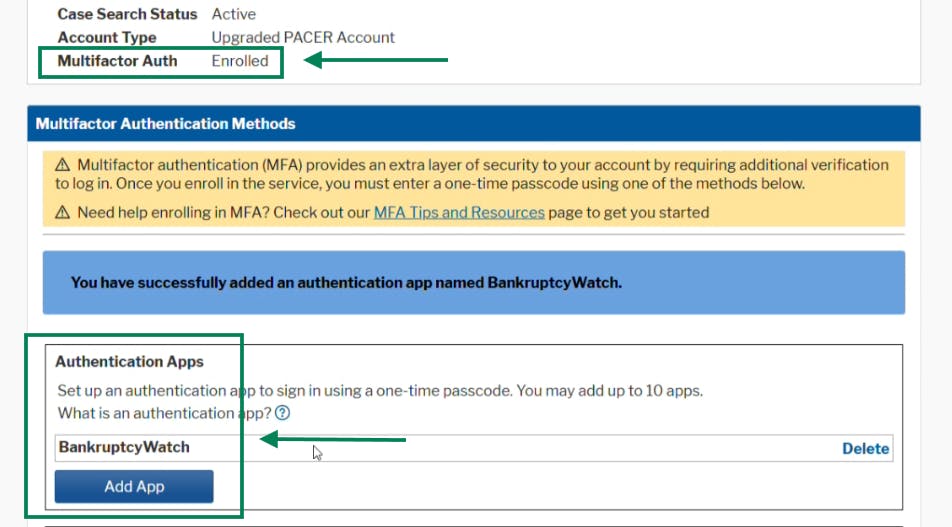
Congratulations! You have successfully enabled MFA in your PACER account.

PACER setup complete

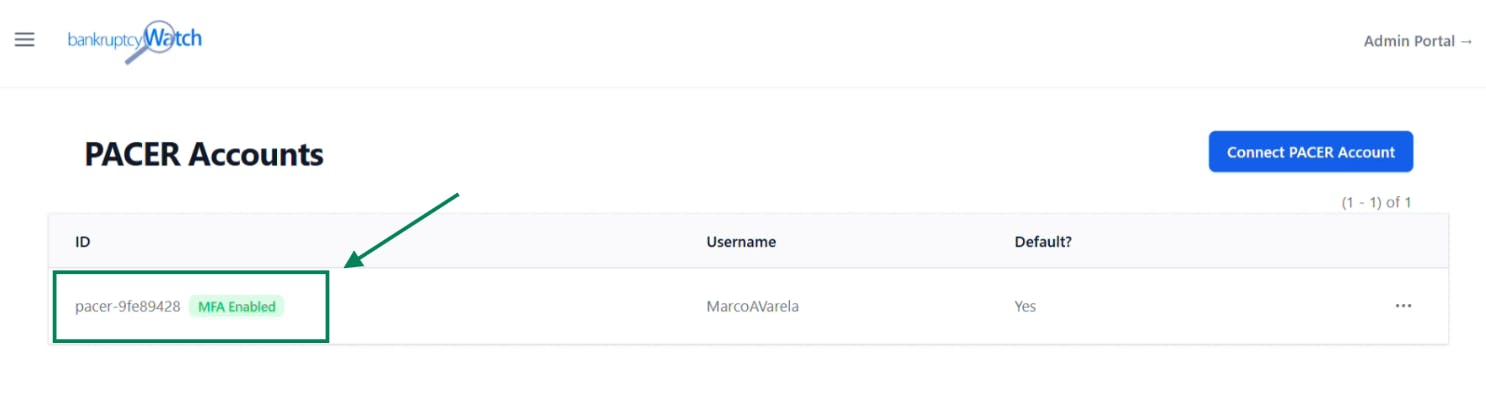
Your BankruptcyWatch account is now ready to work with your PACER account with MFA enabled. No further actions are needed.

BankruptcyWatch setup complete

We are standing by if you need immediate help. If you find yourself unable to set up MFA on your PACER account, please don’t hesitate to reach out and we'll set up a meeting with you to walk you through the process: